
Daily budget tracker
Your whole day —
one number.
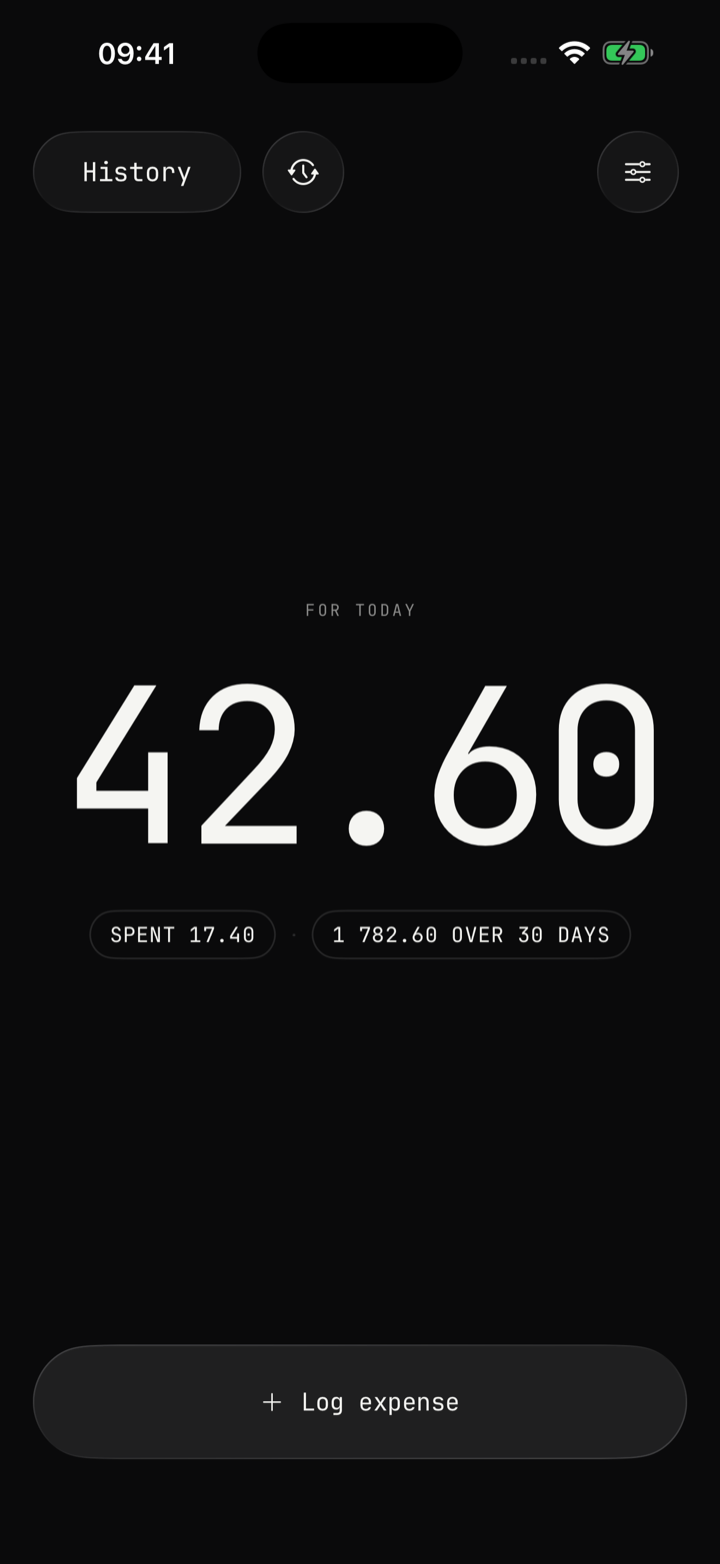
Set an amount and a number of days. Daycap splits it across the days and shows how much you can spend today. That’s it.
Daycap in 30 seconds.
The App Store preview.
Type. Tap. Logged.
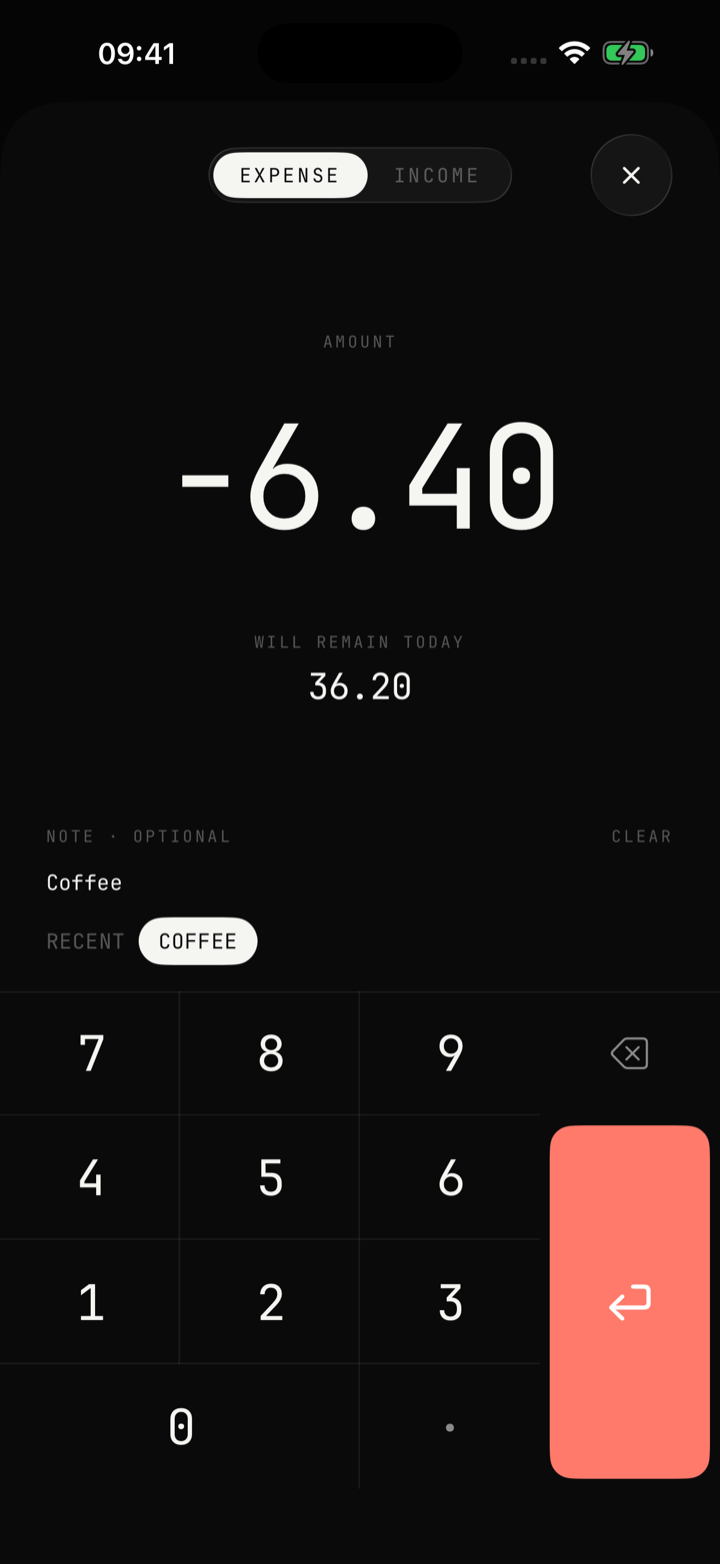
Note and category — optional
Log an expense in two taps on a custom keypad. About to buy something? Type the price first and watch what would be left for today — one look is often enough to skip an impulse buy.
Honest history. No dashboards.
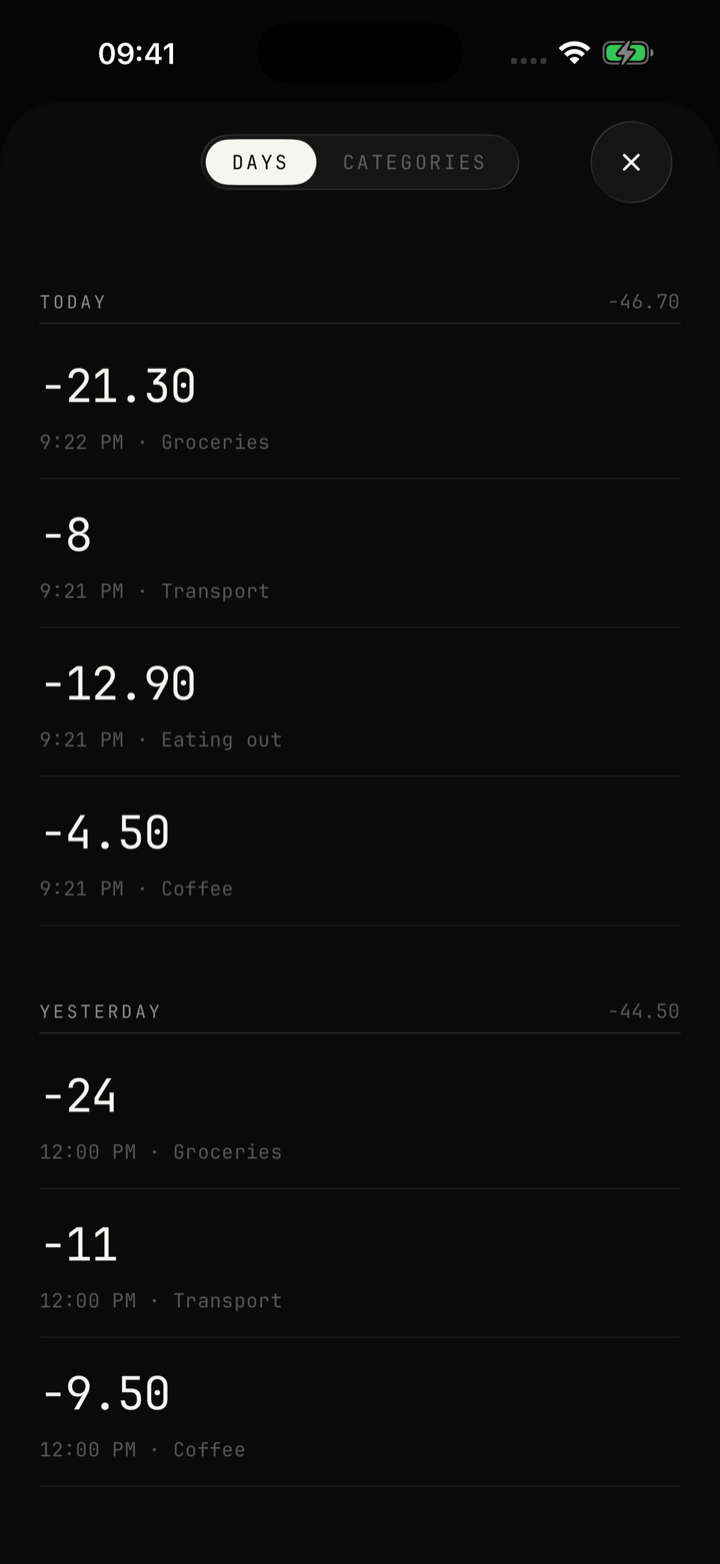
Days and amounts — nothing else
Your full spending history by day, with quick delete and undo. No charts, no reports, no bank statements.
Apple Pay? It logs itself.
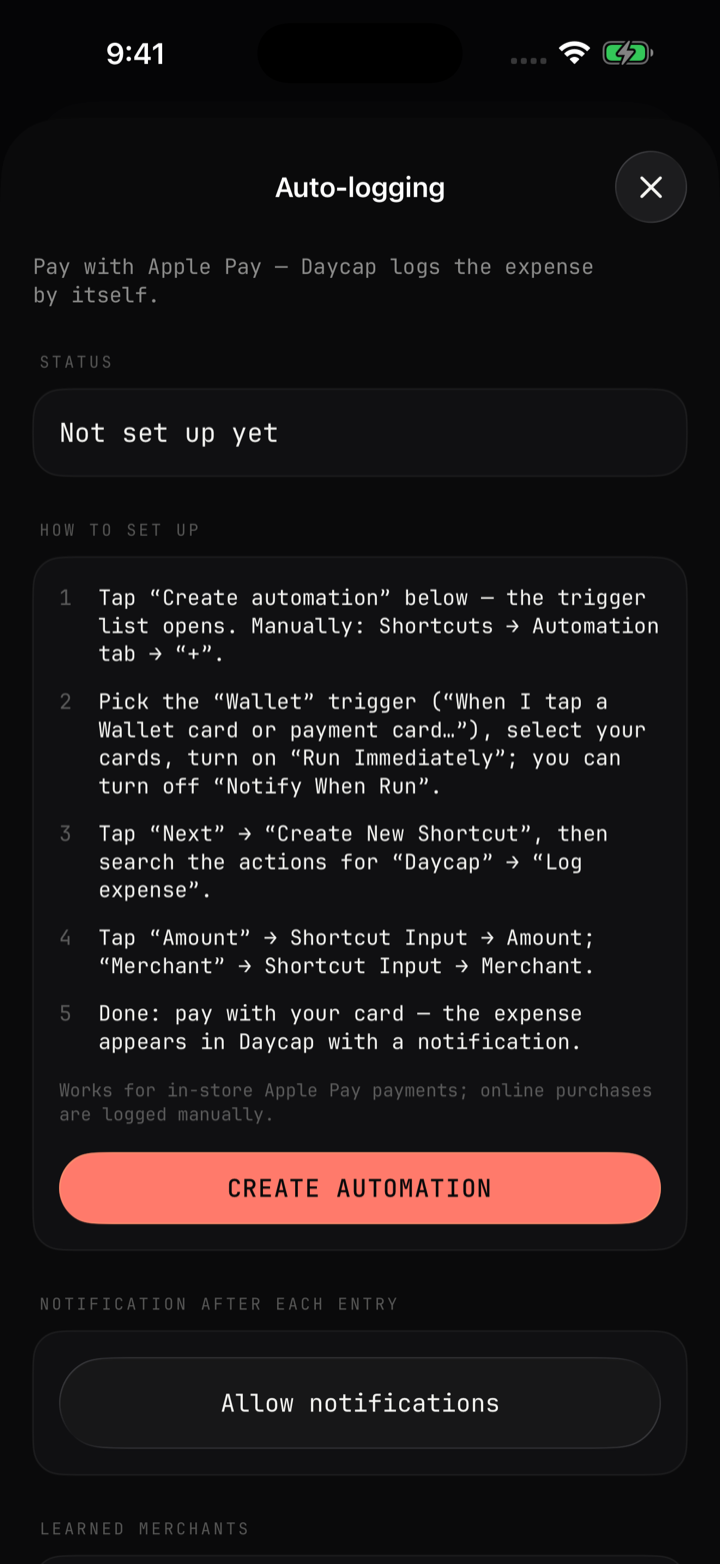
One automation — nothing to type
A Shortcuts automation logs every Apple Pay payment in Daycap without opening the app. Daycap remembers the merchant, and the notification lets you set a category or undo the entry right away.
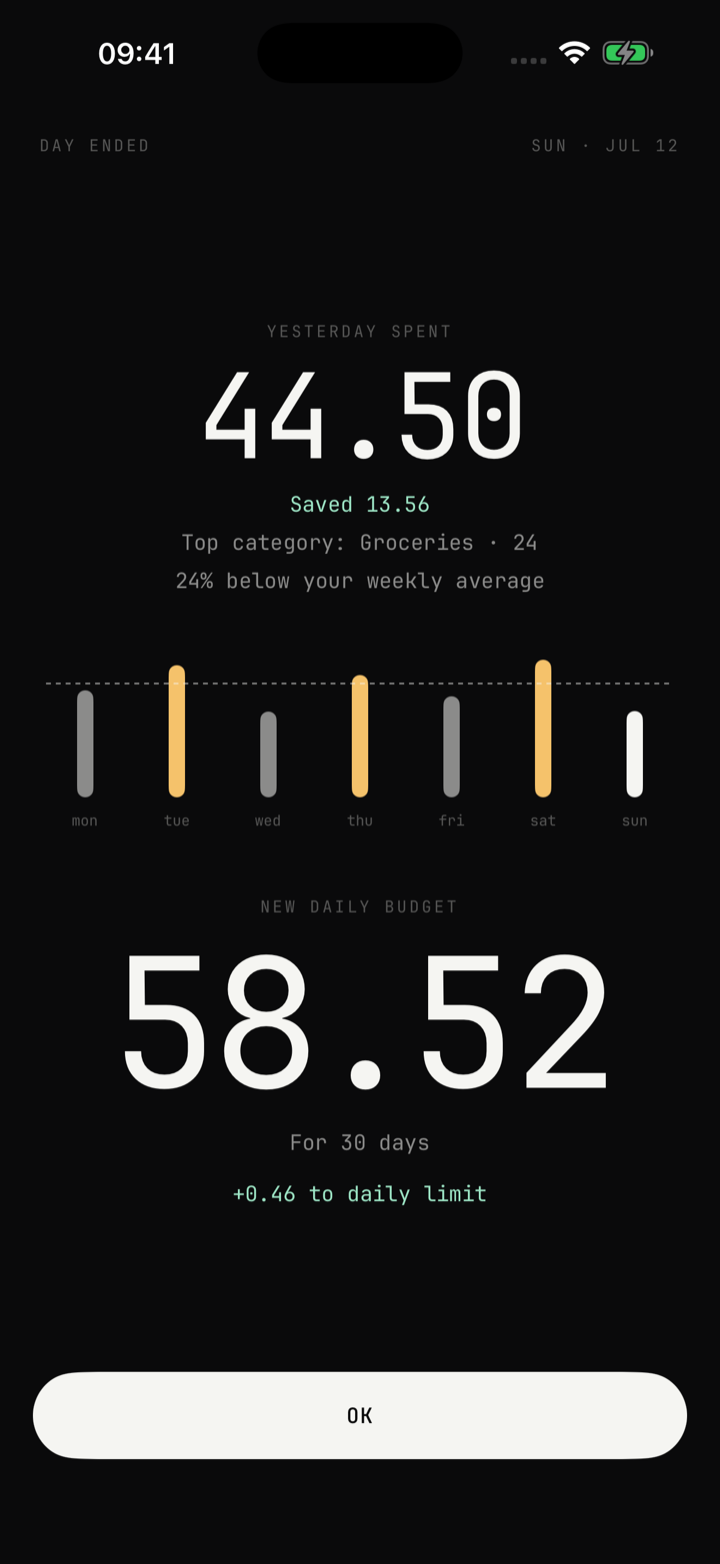
Saved today? Tomorrow grows.
Your budget recalculates at midnight
Spend less — tomorrow’s limit grows. Overspend — Daycap calmly evens it out over the remaining days. No red numbers, no blame.
Why Daycap
One big number
What’s left for today — always on screen
Widget
See your balance without opening the app
Private by design
Data lives on your device and in your personal iCloud
No accounts, no ads
No sign-ups, no bank connections, no tracking
Light & dark
Two themes, inspired by paper notebooks
End-of-day summary
What the day cost and what tomorrow brings
Frequently asked questions
What is Daycap?
Daycap is a simple budget tracker for a fixed period. You answer two questions — how much money you have and until what date — and the app shows one number: how much you can spend today to make it to the end of the period.
No envelopes, no spreadsheets, no bank connections — and categories only if you want them. Perfect for a vacation, a trip, or stretching money until the next paycheck.
How is today's number calculated?
The remaining amount is divided by the number of days left in the period. Every expense you add updates the number instantly.
Spend less than your daily allowance today — and tomorrow’s number grows. Overspend — and the app evens it out over the remaining days.
Can I change the amount or the end date mid-period?
Yes. The end date can be changed any time in Settings → “Period” → “Until”. The amount isn’t edited by hand — it changes through entries. If you got extra money, tap “Log expense” on the main screen and pick “Income”. All numbers are recalculated on the spot.
I added a wrong expense. How do I fix it?
Open History, find the entry and delete it — the amount returns to your budget immediately.
Where is my data stored?
On your device and in your personal iCloud. If you are signed in to iCloud, Daycap syncs your budget, expenses and settings through Apple iCloud (a private CloudKit database), so your data stays with you across your devices and after reinstalling the app.
Only you can access it — through your Apple account. We have no servers, no accounts of our own, and we never see your data. Details in our Privacy Policy.
Is there a home screen widget?
Yes. Long-press your home screen, tap “+”, search for Daycap and add the widget — it shows today’s remaining budget at a glance.
What happens when the period ends?
Daycap asks you to pick a new end date — your money stays in the wallet and is simply spread across the new days. Your spending history is kept too — it never disappears when a period ends.